Bristol_Jonesey
-
Posts
1,359 -
Joined
-
Last visited
-
Days Won
2
Everything posted by Bristol_Jonesey
-

What is the deal with Sonar and Next
Bristol_Jonesey replied to DescendingIntoVertigo's topic in Cakewalk Sonar
Looks flat here. There's no fake 3D rendering, no shadows. Maybe post a screenshot? -
Try globally bypassing any Fx before recording. There is a dedicated button for this in the Control Bar It has become common practice for many of us to bypass Fx when recording, then switch back on again when finished
-
No, you shouldn't need to reinstall anything which is still on your pc Everything else should be recognised Take note of any messages that you get during installation. Choose "Yes" if it offers to import settings from a previous installation. If anything does appear to be missing, come back and let us know Do NOT uninstall any previous version
-
Legacy Sonar Professional User
Bristol_Jonesey replied to Tylermob2015's topic in Cakewalk by BandLab
Depends on what you're using dithering for Also, there are other algorithms available. -
Where are L-Phase Plugins for new Sonar?
Bristol_Jonesey replied to bmarlowe's topic in Cakewalk Sonar
I've had one hell of a job trying to get LPEQ & LPMB installed, so far without any joy whatsoever. They have been uninstalled, entries removed from the registry, renamed, edited, all to no avail Even Noel has chipped in with a couple of suggestions but they don't work. Luckily, this is happening only on my laptop which isn't used for serious DAW work - my main recording rig is fine. -
Hardware Output Left Fader Reverts on Stop
Bristol_Jonesey replied to scoco's topic in Cakewalk Sonar
All that means is you could, if you wish, revert the value of the fader to its previous setting, which in this case is -8.7 Double click it to set to 0.0 Click the padlock icon to lock L + R together -
Only last week, I installed Platinum on my laptop from the Command Center, so that works. If you're talking about CbB then no, of course it won't work. After August 1st there will be no way to activate it
-
Sad, sad loss. 😢 RIP Ozzy, lost count of the times I saw you perform
-
Apart from Sonar Free Tier
-
Migration (back) to SONAR - what features from CbB are removed?
Bristol_Jonesey replied to jeff s's topic in Cakewalk Sonar
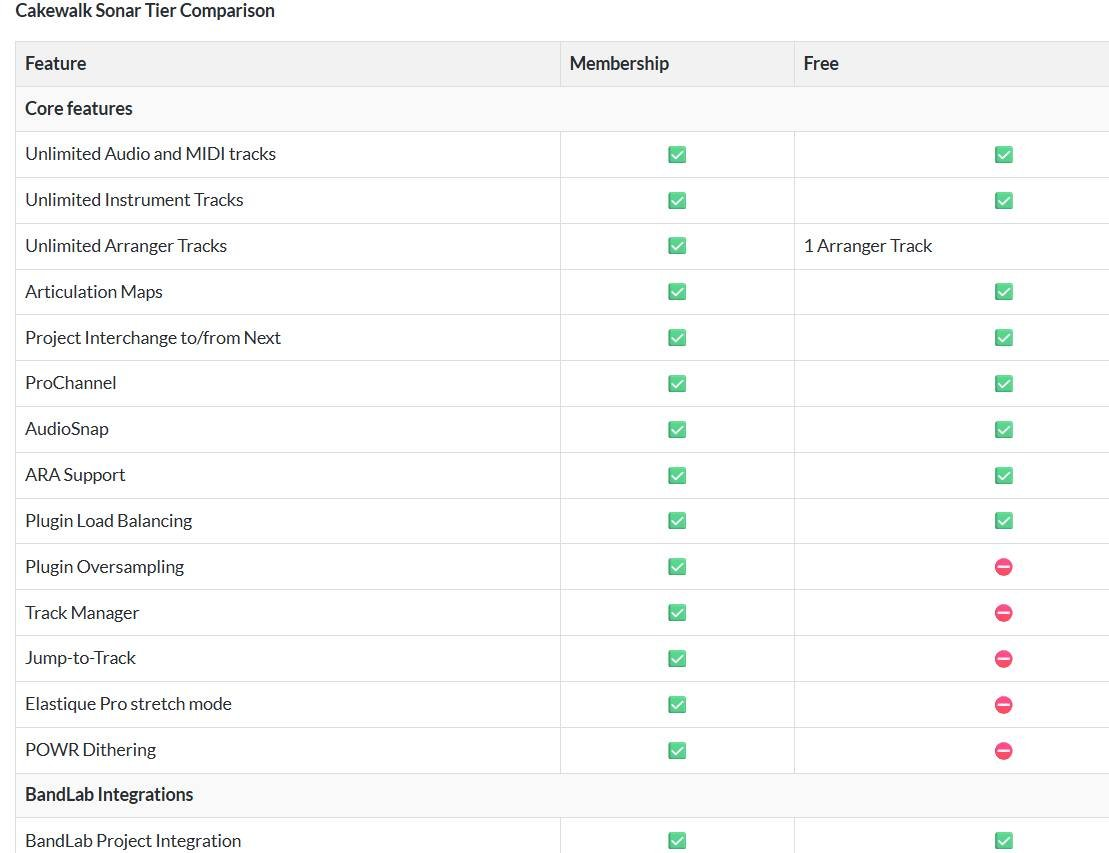
This is a partial list. It's not complete because it neglects to include Workspaces. What else is missing is anyone's guess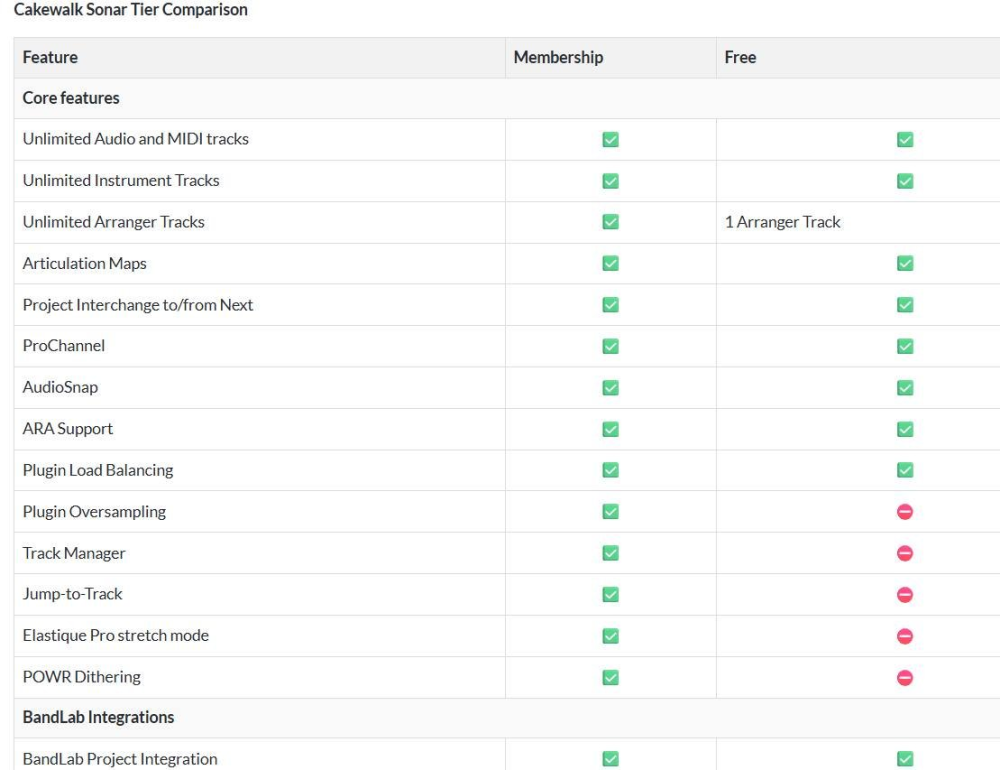
-
Migration (back) to SONAR - what features from CbB are removed?
Bristol_Jonesey replied to jeff s's topic in Cakewalk Sonar
No, Pro Channel modules have NOT been removed. -
I actually like it. Took about a day to get used to it, then grew to really appreciate the clean lines and uncluttered appearance.
-
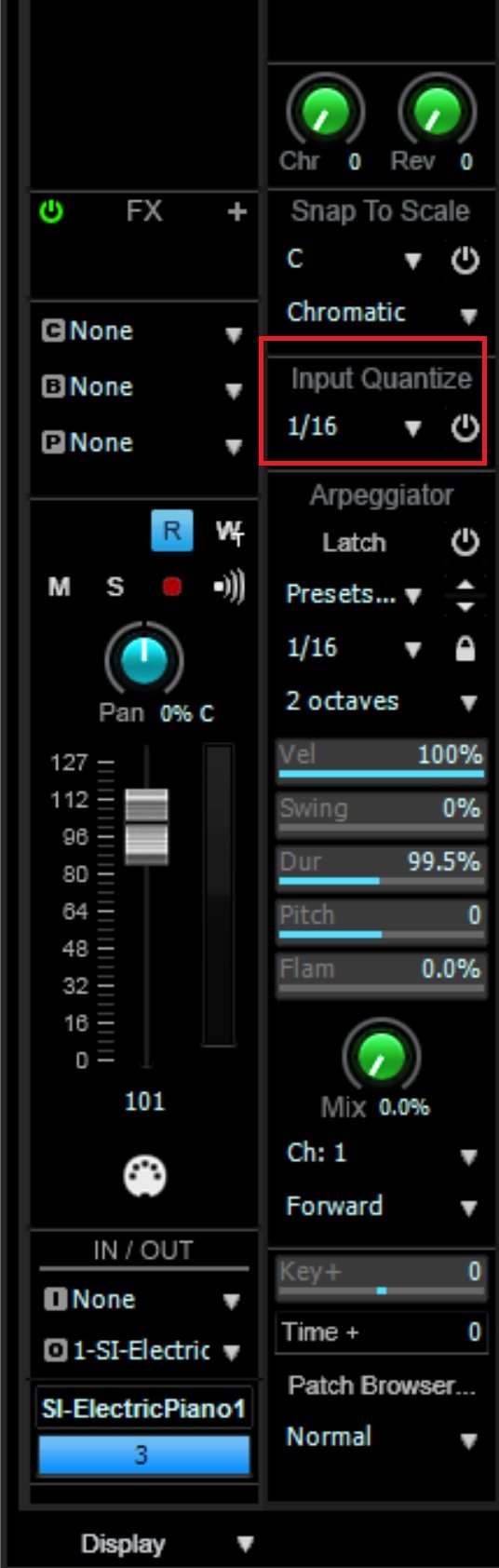
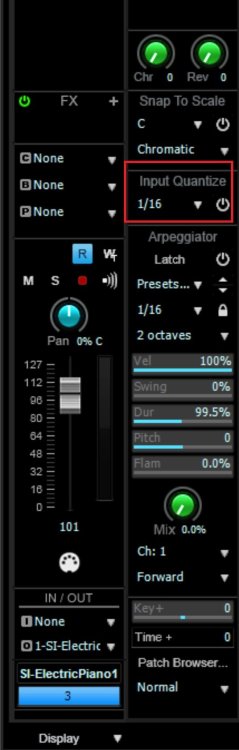
You'll find it on the Midi track:
-
The 2 versions are visually identical
-
I'd leave them all installed They don't take up THAT much disc space You might affect shared resources and render some plugins unable to activate If you're THAT short of space, time to invest in a new disc.
-
Er, if you paid for a subscription, why would you want to use the slightly cut down version of Free Tier? Bear in mind also, it's the same piece of software, and if a membership is detected, the locked items would become unlocked. I can't see how you could have access to both (unless you had 2 Bandlab accounts)
-
English UK
-
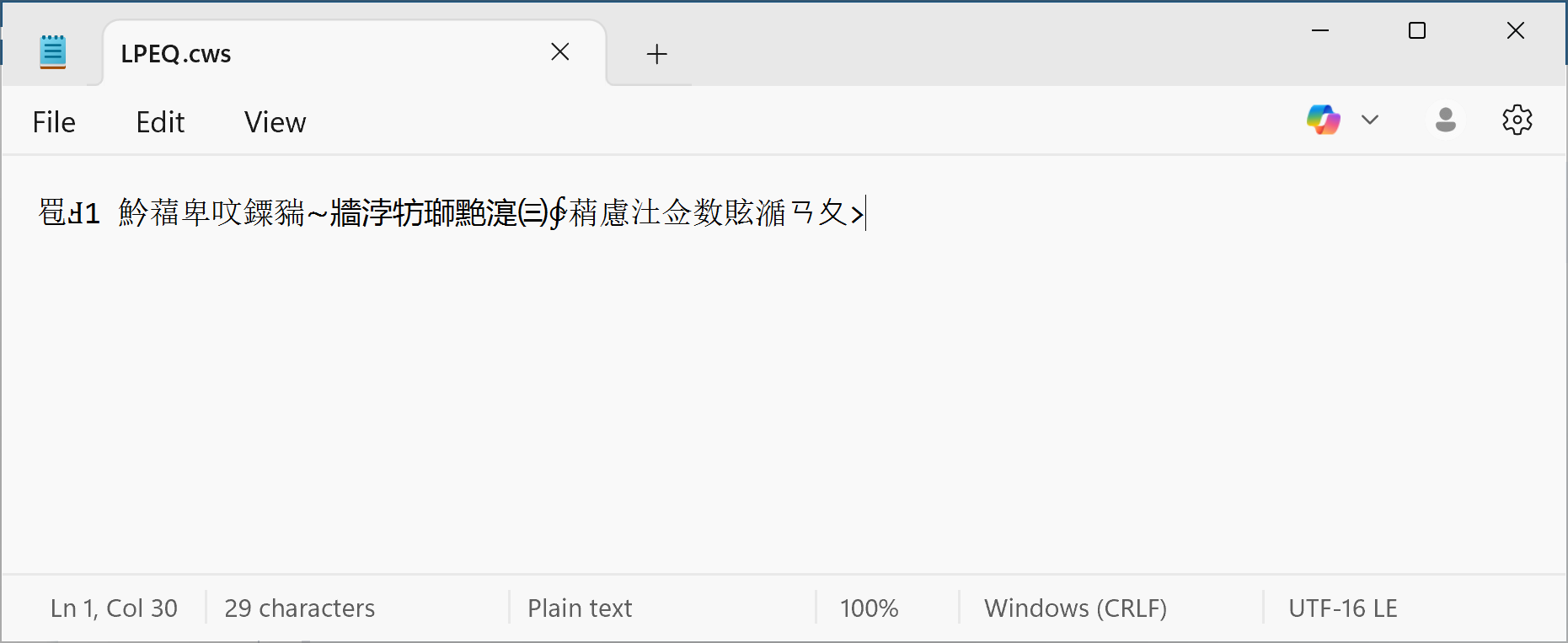
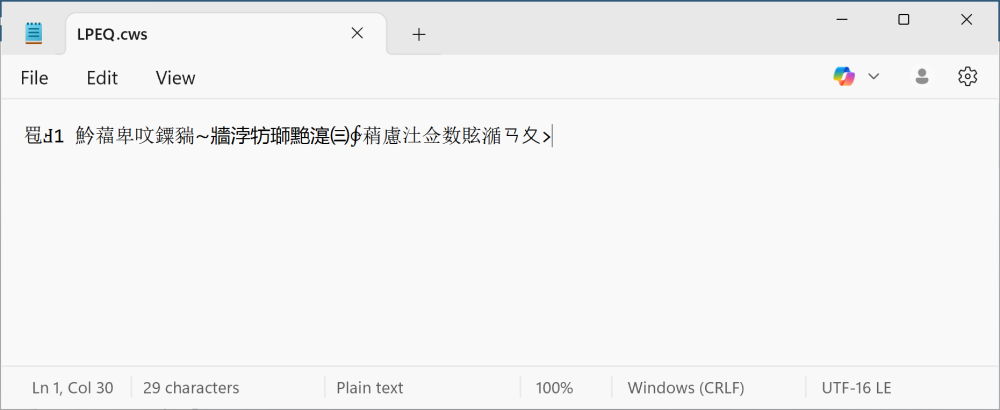
Found the .cws files. Opening in Notepad shows this
-
In Sonar, you can only sync your project to an existing video track You cannot manipulate the video in any way
-
How do these show up in the old Command Center? I have L-Phase Equalizer & L-Phase Multiband Are those the correct ones or are they the old LP64 Just wondering if I should just reinstall them
-
The loud pop sounds like your audio engine borking out What plugins are you using? Try bypassing them all, save & reopen. If that cures it, enable them all one at a time until you find the culprit
-
This is happening on my laptop - a Dell XPS 17 9710, not the rig in my sig
-
So you've never seen Red Dwarf then?
-
Bump This is on Win 11 Version 24H2 (OS Build 26100.4652) This happens with and without DPI awareness being switched on
-
[SOLVED] LP-64 Multiband compressor/limiter
Bristol_Jonesey replied to Cyril Johnson's topic in Cakewalk Sonar
Ok, thanks for clarifying I did make a separate thread last week https://discuss.cakewalk.com/topic/88786-lpeq-lpmb/ I'll bump it back up into visibility