Bristol_Jonesey
-
Posts
1,057 -
Joined
-
Last visited
-
Days Won
1
2 Followers
.thumb.png.688b737d5385a5381c42e1ebf72ab46e.png)
Recent Profile Visitors
2,672 profile views




-

LP-64 Multiband compressor/limiter
Bristol_Jonesey replied to Cyril Johnson's topic in Cakewalk Sonar
Make a track or project template from a project where it does work. -
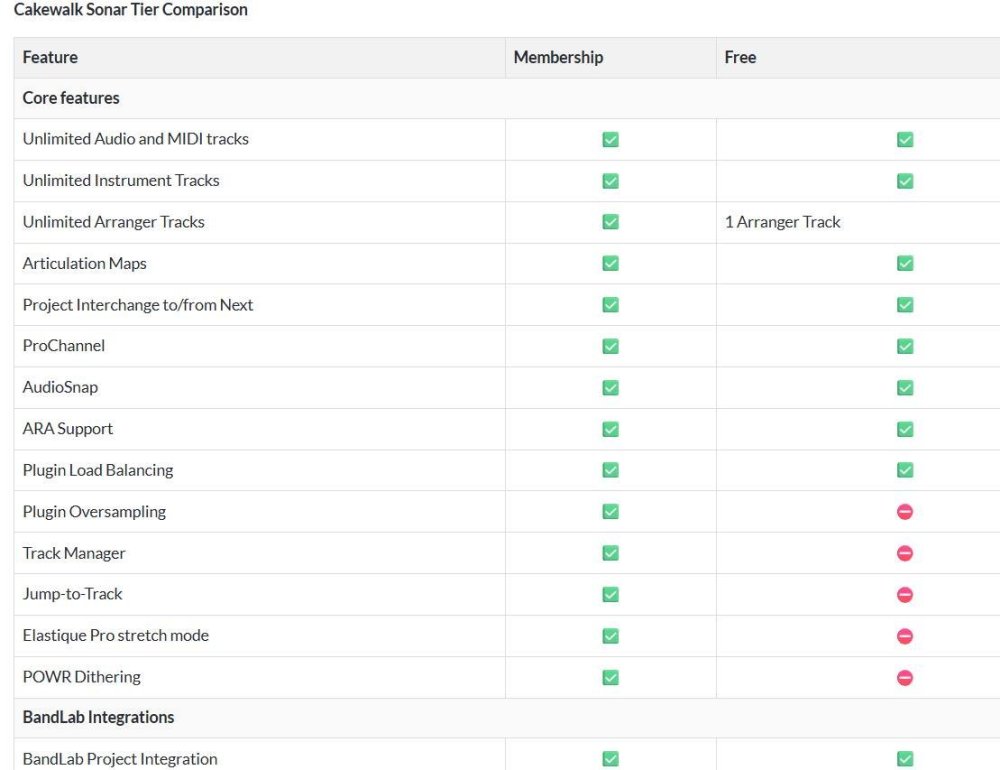
@msmcleod Mark, any reason why Workspaces and Export limitations are not included above?
-
Thanks Canopus
-
Playlists display wonky in Sonar compared to Bandlab Cakewalk
Bristol_Jonesey replied to tdehan's topic in Cakewalk Sonar
Well which version is showing on your system? -
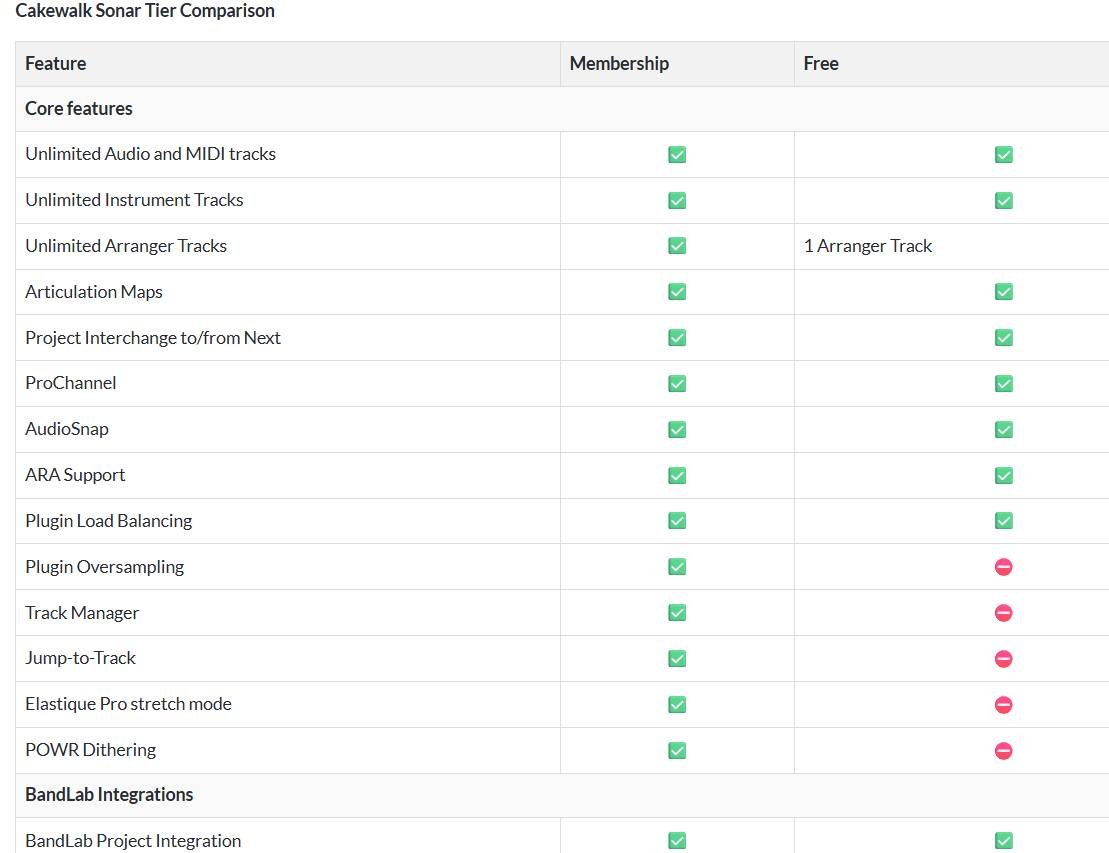
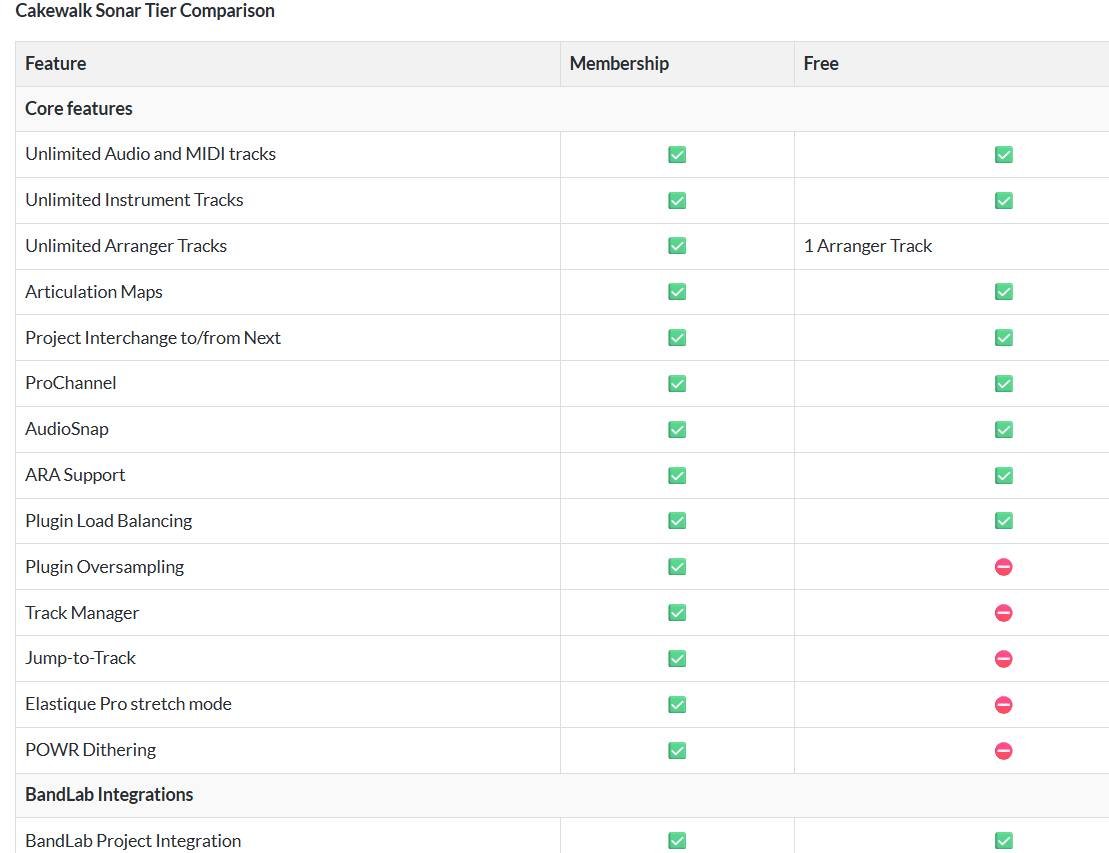
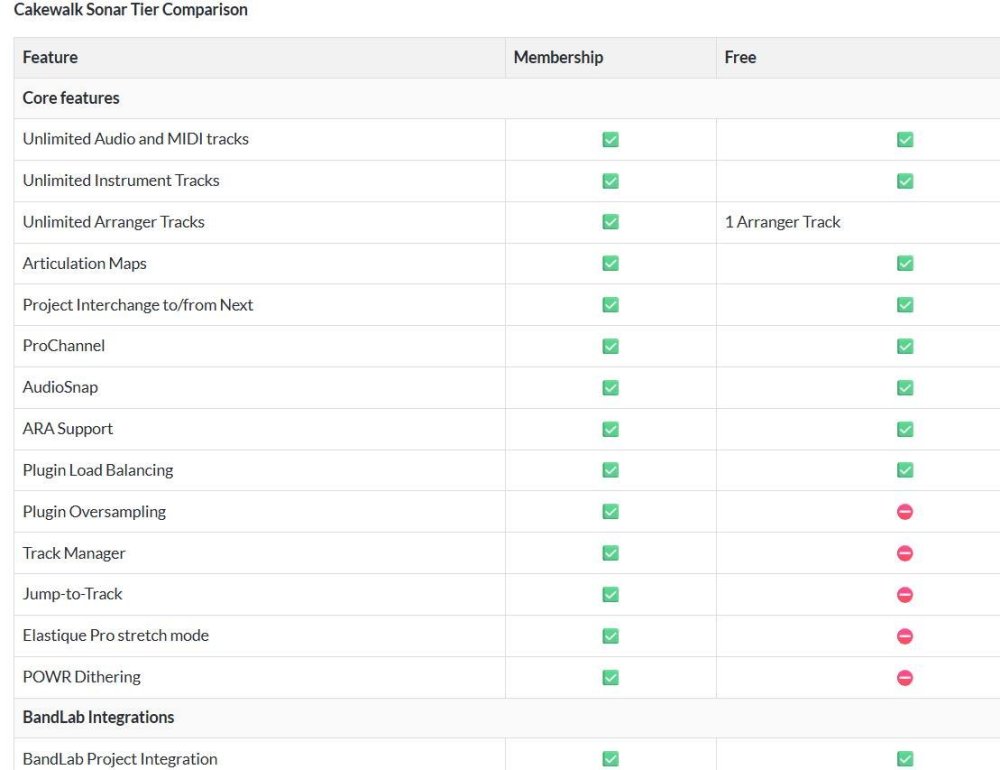
This makes no mention of Workspaces, Pro Channel, Exporting
-
Synth Rack View is NOT on the official list of items not available in Free tier. (Neither are Workspace)
-
Will there be a separate Sonar Free forum ?
Bristol_Jonesey replied to Sidney Earl Goodroe's topic in Cakewalk Sonar
My view is that Sub Sonar & Free Tier Sonar should be the same forum. Yes, that will bring all the newbies on board and they are far more likely to get an answer from the more seasoned users than if they were relegated to post in a separate forum where there could well be a lot less traffic. Make the Cakewalk forum read only from Sept 1st. -
You shouldn't have to reinstall anything. If those plugins were on your system before, Sonar will pick them up on installation. The only thing you might have to do is revisit the paths referenced in Plugin Manager.
-
Correct. It's Windows only
-
Perhaps I wasn't clear enough. Steps to reproduce: Start up Sonar Receive message saying "you need to be online in order to authorize" Go online Sonar authorises Switch off internet Close Sonar Open Sonar Back to step 2 and repeat I'd rather not have to go online every time I open Sonar. Is there a fix for this?
-
Is Session Drummer included in the new free tier Sonar ?
Bristol_Jonesey replied to mark skinner's topic in Cakewalk Sonar
Have you updated your offline pc? -
What bug? Have you reported it?
-
But as soon as I log on to the 'net, it authorises itself.
-
I updated my studio pc to 2025.07 today without a hitch. But every time I open Sonar, it asks me to login in order to authorise. I've done this several times hoping it would "stick", but it doesn't. I do not leave my pc online all the time, only for downloads & suchlike, never for general browsing. So, any ideas? Thanks
-
The subscription for Sonar Premium has been active for over a year. Where have you been. It was recently announced that Cakewalk by Bandlab is set to be phased out from August 1st But there is now a FREE version of Sonar which is exactly the same as Sonar Premium but with a few features disabled.