


57Gregy
-
Posts
2,890 -
Joined
-
Last visited
-
Days Won
2
Everything posted by 57Gregy
-
Owl be watching the Puppy Bowl.
-
What Am I, a farmer? ?
-
I'm not stretching it. In other news, the Ovine Persons Union is preparing a lawsuit demanding that their members also be allowed to model jerseys on the Cakewalk forums. Even though they're Guernseys there.
-
Thanks. I was going by my too-faulty memory. Seems it's not getting any better as I travel through time.
-
I don't think tempo is part of the MIDI standard. Whenever I drag a .mid into a project, it assumes the tempo already set in the project.
-

Replacing IEMs and IEDs with ICBMs?
57Gregy replied to Bruno de Souza Lino's topic in The Coffee House
That would be MIRV, for multiple independent re-entry vehicle, like the Mk. 12 which I also worked on. The one in the pic is the Mk. 6. I've never had an IEM but we used to improvise firecrackers in elaborate battle scenarios with our G.I. Joes when I was a kid. -
Replacing IEMs and IEDs with ICBMs?
57Gregy replied to Bruno de Souza Lino's topic in The Coffee House
Merv Griffin, creator of Jeopardy. -
Replacing IEMs and IEDs with ICBMs?
57Gregy replied to Bruno de Souza Lino's topic in The Coffee House
Although that's not actually an ICBM, but the Re-entry Vehicle that sits on top of the ICBM. -
Tastes like chicken. I hear.
-
Replacing IEMs and IEDs with ICBMs?
57Gregy replied to Bruno de Souza Lino's topic in The Coffee House
Top row, second from right. Yep. No longer exists. -
Replacing IEMs and IEDs with ICBMs?
57Gregy replied to Bruno de Souza Lino's topic in The Coffee House
My ICBM.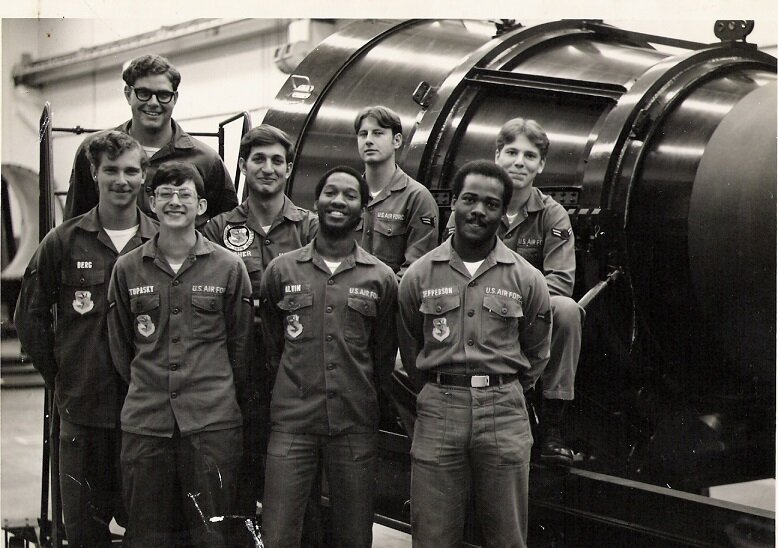
-
Sure you can. Add MIDI tracks (not Instrument Tracks) and set their outputs to the TTS-1 you already have inserted. Set each MIDI track's channel and patch and there you go. Welcome to the forum.
-
You can record the audio output of your MIDI keyboard or sound module into a track and apply the effect there, or if you're using a software synthesizer instead of a hardware synthesizer, just insert the effect in the soft synth's audio output.
-
"Proxy Script" would be a great name for a band.
-
I tried it the other day, selected Ctrl>a to select all of the tracks, which selected the entire timeline. Then I just moved the green marker at measure 1 to the beginning of the audio and it just exported the song from there.
-
I don't know if you will have the same behavior as my machine, but as soon as I open a New PRV, it only shows the track I selected. As soon as I try to change it to another track, the first track is ghosted and the second track is promoted, and so on as many tracks as I use. But, if I close the PRV completely, I can open another single-view instance.
-
I have; I had to change the screen resolution so all of the buttons are visible. The were way off the screen at the bottom. Or do you mean you see the entire dialog box but the buttons are missing?
-
When my DAW died a couple years ago, my brother gave me his old computer with the 0404 installed. Still using it.
-
Go to the MIDI track you want your drums on. For Output, select New Drum Map and navigate to the SR-16 drum maps. The Alesis must be connected via MIDI.
-
Make Console view appear on main monitor
57Gregy replied to Bassfaceus's topic in Cakewalk by BandLab
Create a different user account in Windows with your new preferences? -
Did you download and install the latest ASIO driver for your OS and device from the Presonus web site?
-
Midi cymbal crash becomes quick hi hat sound!
57Gregy replied to RICHARD HUTCHINS's topic in Cakewalk by BandLab
Also check the duration of the note you drew in. If it's a 1/16 note, the crash won't be very long. Assuming the crash is mapped correctly. -
Home recording isn't the only expensive hobby.
57Gregy replied to Shane_B.'s topic in The Coffee House
Tell me about it! You wouldn't believe how much hookersnblow is going for these days. -
By setting your audio tracks to go through busses and the busses to a Master bus which is set to your audio interface's output, you would get all of your tracks to play through your headphones.
-
My time ruler disappears for some reason
57Gregy replied to RICHARD HUTCHINS's topic in Cakewalk by BandLab
Is it possible that the Now line has scrolled off the screen and you're working at an earlier place in the song? Clicking in the TV would then move the Now line to where you clicked.


