57Gregy
-
Posts
2,893 -
Joined
-
Last visited
-
Days Won
2
Everything posted by 57Gregy
-
I once knew a man who ate roast duck exclusively. He was a quack addict.
-
I assume you mean me? I did graduate high school. Thanks for listening!
-
Do you mean pole vaulting over the house?
-
When you 'print', what are your bounce/export options? Try checking the "Render in Real Time" box if you haven't already.
-
Yes, 21 tracks to 1 stereo track.
-
Sorry to hear that. I just bounced 21 tracks of audio (no effects) on an old, under-powered machine and it took 40 seconds. What are you bounce options and what effects or soft synths are in the project?
-

[SOLVED] Insert new synth in track view (must resize)
57Gregy replied to Sven's topic in Cakewalk by BandLab
So, my above reply may be confusing. Drag open a track pane to your desired height. Then right-click in a blank area to bring up the track menu and set as Default. When you then insert another track or soft synth, the track should open at that default height. -
"The CH is deaf" I thought that was me.
-
[SOLVED] Insert new synth in track view (must resize)
57Gregy replied to Sven's topic in Cakewalk by BandLab
Set a Default Track Height. Right-click in an empty area and set it as you like it.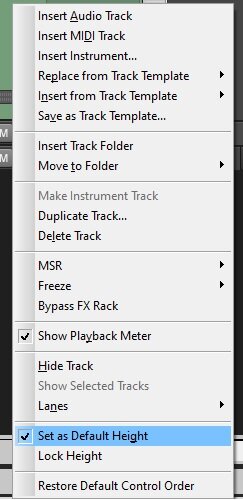
-
Exporting Master and two additional buses as a mix...?
57Gregy replied to linkbekka's topic in Cakewalk by BandLab
If you have multiple busses selected, you will get a mix from each bus. Deselect all but the Master bus.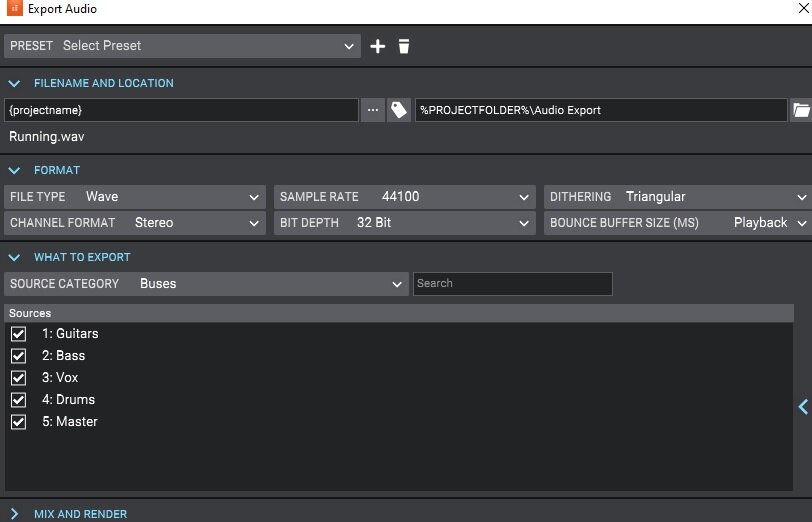
-
That usually means the sample rate doesn't match in Cakewalk and your audio device. Cakewalk could be 44.1 and the sound card/interface might be 48.
-
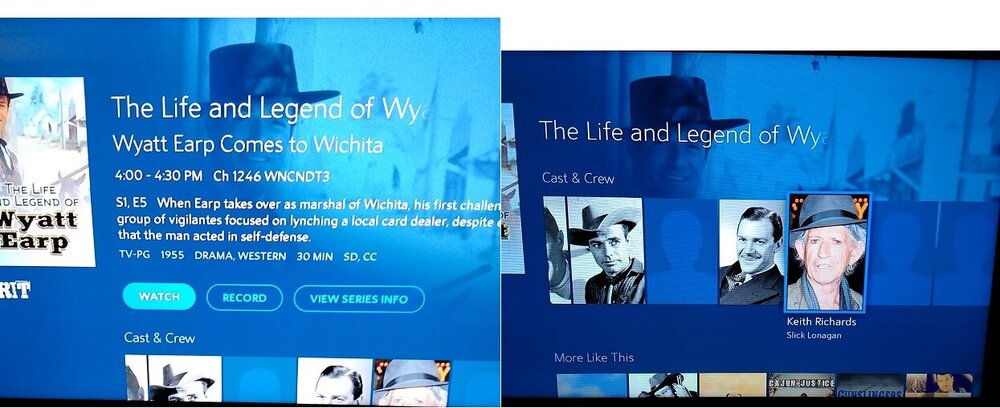
I was perusing the channel listings and came across this program from 1955, featuring our man Keith: .
-
Plus, it's been noted here many times, the RealTek ASIO driver isn't worth the effort I used to type this. The Windows WASAPI driver would be a better choice unless you have an interface with good ASIO drivers, which it appears you do. Welcome to the forum.
-
Welcome to the forum. Are there Windows Chromebooks? Cakewalk is Windows only.
-
Happy Birthday!
-
I thought WalMart* had a monopoly on senior hires.
-
Nurple rhymes with purple, as anyone with older brothers will know.
-
Welcome to the forum. What is your playback device? Computer sound card? Audio interface?
-
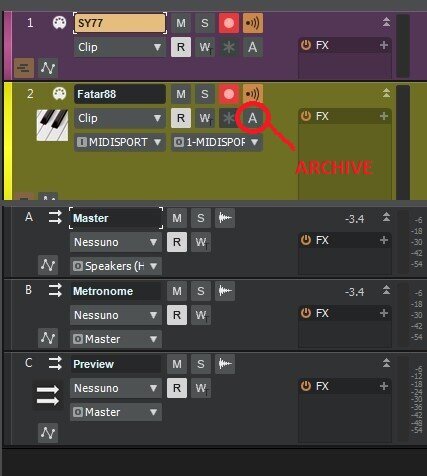
By you asking questions, I learned something. I don't think I've ever seen that A in almost 20 years of Cakewalking.
-
Happy Birthday, Doc! By the way, it hurts when I do this. What is that?
-
And here we all thought you were a lawyer. ?
-
If you mean this button, that's Archive.
-
Welcome to the forum. Is the sample rate the same for both Cakewalk by Bandlab (CbB) and the microphone?
-
Thanks, Shane. I was referring to paulo. Lots of people here seem to know him (?) from the old forum, but for the life of me, I can't remember a paulo, or paul or paul o over there. I hung out in the MC or Home Studio forums the most, but also the CH 1. Plus, my memory is almost 65 years old.
-
Pardon my ignorance, but who were you over there?