


Dean
-
Posts
179 -
Joined
-
Last visited
Everything posted by Dean
-
This is what happens. If I connect the Roland UM-one which uses Din plugs and plugs into a USB port to a Casio WK-1200 I get sound through the speakers. If I connect the UM-one to the Korg EX I do not get any sound through the speakers or movement on the sound meter. If I connect Din plug cables to the Korg and the Focusrite 4i4 I get no sound through the speakers or no movement on the sound meter. If I take the same Din plug cables from the Korg and plug them into the Casio WK-1200 and the Din plugs of the Focusrite 4i4 I get sound through the speakers and on the sound meter which to me means the cables are good and the UM-one is good. I contacted Focusrite support and they did some tests and said the 4i4 is working fine. They also had me run a file called MIDI-OX which showed the Korg was producing MIDI. I was assuming that if you wanted MIDI that attaching Din cables would work.
-
I can play Quiet Piano with my mouse. Is there any way to play it with my midi keyboard? Thanks
-
Thank you for the tutorials John! I will watch them again and again. I am missing something and just have to figure it out.
-
Thanks for the reply! The speakers connected to a Pioneer receiver from the Focusrite and then from the receiver to the computer.
-
Thanks for the response! It takes me awhile to process what you and John are trying to tell me. I just have a Focusrite 4i4 that goes into a USB port in the computer. I have a Korg Wavestation EX plugged into the Focusrite 4i4 and this play sounds through my speakers just fine. If I use the same plugins for the Korg Z1. I must have something plugged in wrong because John has told me the Focusrite 4i4 should be able to attach two keyboards. I will work on it and let you know how it goes. Again, thank you very much. have a great day.
-
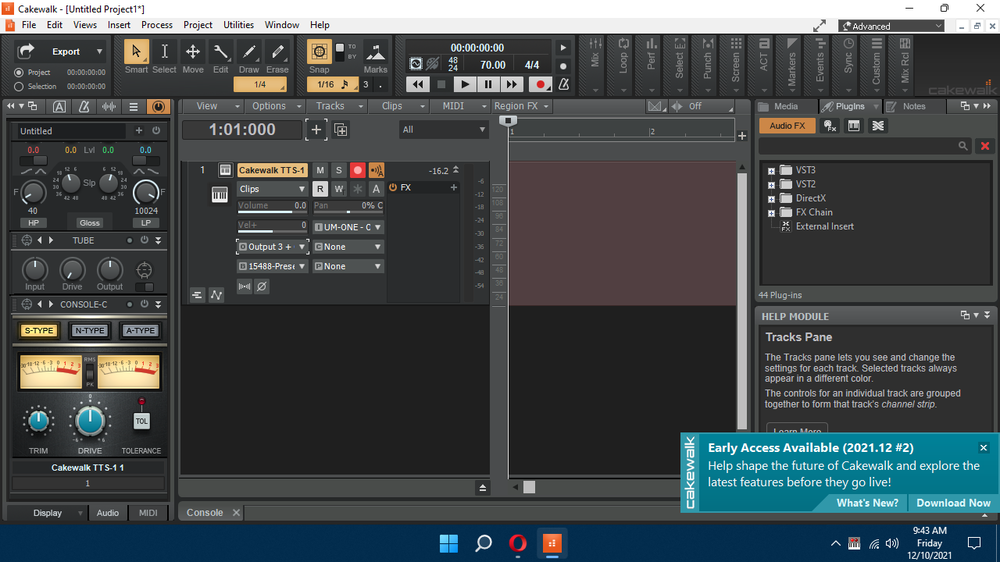
Thank you for the replies! I am expecting to hear a sound from the Korg. I am expecting audio from my computer speakers or headphones "If the audio output of the Z1 isn't connected to anything, you won't hear it." I don't know what this is. By audio interface do you mean Focusrite 4i4. In the screen shot the output is set to 3+. If I play a key on the Korg the sound meter goes up and down but no sound. If I set the output to 1+ I get sounds, but not the Korg sounds. I'm missing something.
-
I have a Korg Z1 that I want to connect using a Roland UM-ONE mk2. I connected it from the "In" and "Out" on the Z1 to a USB connector on the computer. The driver loads automatically for Windows 10. It shows up in my devices. In Cakewalk it shows up in preferences under MIDI devices. If I create a MIDI track the settings I use are input=UM-ONE omni and output=4 UM-ONE. The sound meter goes up and down when a key is pressed. Is it just the wrong settings? Thanks
-
I'm a beginner at this Cakewalk thing. But I know what I like in music. I would be a little careful with the drums. That's not what the song is about. It's the melody and the words. Vocals don't need to be perfect. Just an opinion.
-
Excellent tutorial! Thanks John.
-
Thanks John! Thanks to your help I am making progress with Cakewalk!!
-
I have a Focusrite 4i4 that I use. I also have a MIDIMAN Midisport 2x2 that I don't use. Can I use both? Thanks
-
Thanks to a tutorial from a person called "Jack" I figured it out. It's always a revelation when I figure something out in Cakewalk. Thanks for your help!
-
Thank you very much. I'm sure I will use both.
-
Thank you for the replies! It is a deep program as you say. At least I know it is possible to do what I want. Just a matter of finding tutorials on it. I have been able to use effects built into Cakewalk but have more to learn. Lots of advice already. Do you think the sight "Creative Sauce" is good for learning?
-
I would like to use an effect called Quiet Piano to learn how to use effects. So I found the effect clicking on FX-Insert Virtual Instruments-Uncategorized-choosing Quiet Piano-dragging it to FX-Clicked on the blue screen that said Start. Quiet Piano shows up but I can only play the keys with the mouse. Is there a way to use a MIDI keyboard? Thanks
-
Disregard. I got it.
-
Just started using Cakewalk and was looking for a tutorial on "Staff View" and how to use it. From what I am seeing here there isn't one. I tried entering the last quarter note in a 4/4 measure and it created an 8th note tied to another 8th note in the next measure. Is there any information on how to enter notes. I did download a page called "Inserting Notes On The Staff". Is that about it? Thanks
-
After staring at your screen shots and trying different things (all wrong by me of coarse) I decided to contact Focusrite. Just to see if I had settings correct. After over 2 hours on chat he or she got focusrite set up correctly. I couldn't tell you what they did. I was able to hear through the headphones my songs! So I can now record and hear my instruments, Korg EX, Korg Z1, Casio WK-1200 and mic or guitar. I can't hear through my stereo though. But I will keep looking to find how to wire that as I had it before. I just want to thank you for all your help!
-
This what I have set up with Focusrite. I am assuming this is 1 and 2. This is a shot of my preferences The third is one of the songs. I changed the input and output to 1 Are any of these correct? Why do you have a green bar across the top of your preferences? In the audio track should the master be chosen to the right of your MOTUM Se where mine says Input 1+In where it says Output 1+ ?
.thumb.png.6172980ec5cace706a1151f1cbb87752.png)
.thumb.png.db59a0191449e6960771d1d29ac820fb.png)
.thumb.png.693a69d64fcae6c17820f2ed7c2ed018.png)
.thumb.png.a0624b4a47cb1ec6aec14d7a27f48477.png)
-
If I save all my files from Cakewalk on an external hard drive the delete Cakewalk, reinstall it, will I then have sound?
-
Thank you very much!!!
-
Not Needed
-
Is the red circle what you are referring to as master?
-
Thank you John for doing the tutorials in the first place! I was able to use one of them before they were deleted.
-
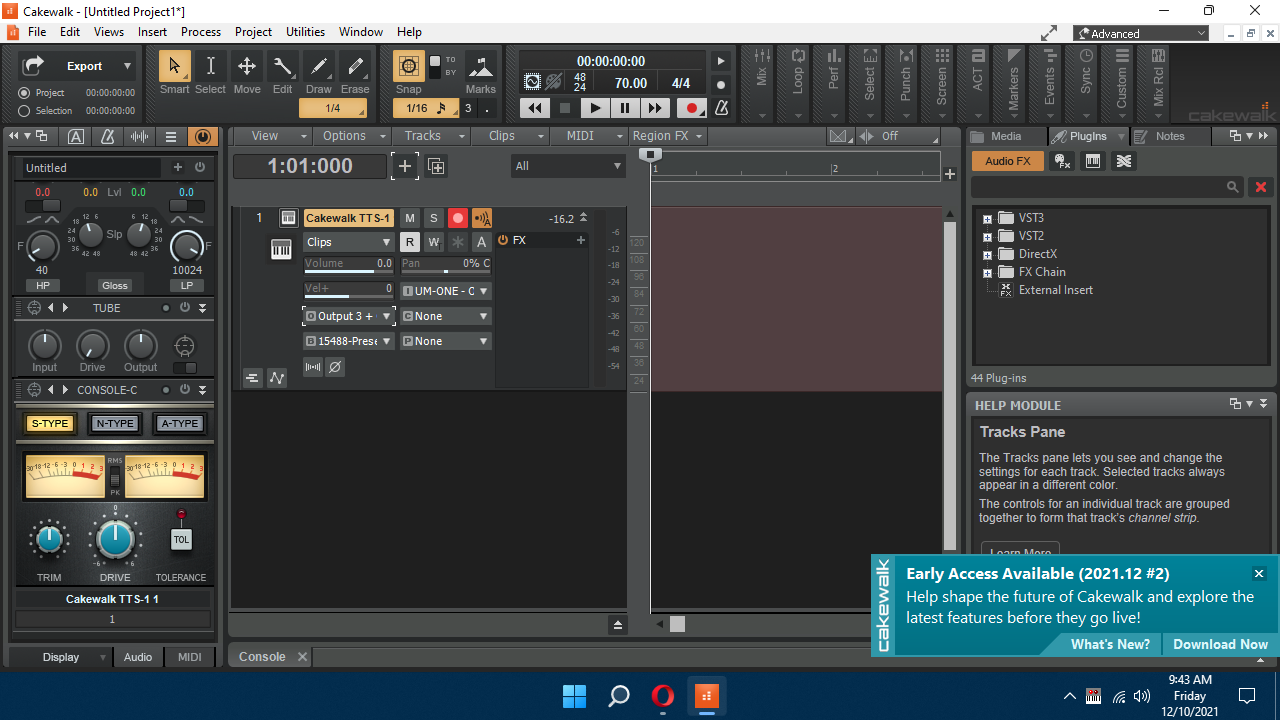
I don't know how to. I tried to use one of your tutorials. But the tutorial wouldn't download. In one of the postings I saw a similar screen and an arrow that went from the "A" track to the "audio" track. But I had no idea why he was showing that. Does the image give me any clue if the master bus output is there?


.png.abe3555d4e0857bb338651cfee8652ea.png)
.png.edb89e7e1550fe18fb16b3ca681f2c77.png)
.png.6b746e79228cd6469720566dc19ca405.png)
.png.3fca68147244060c8059bdb032b8c6b8.png)