Jump to content
  • 3

DirectShow error [0x80040265] - Help needed


Question

Posted

Hi there,
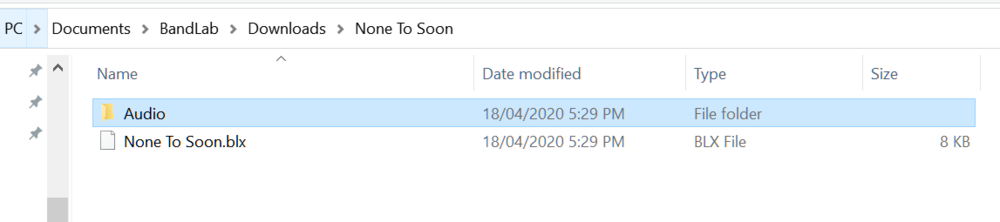
As per user manual, I download stems from Bandlab.
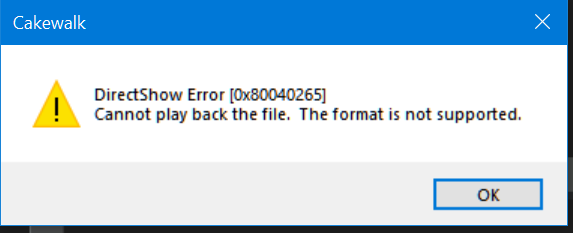
I go to open the .blx file with Cakewalk and receive this error.
"DirectShow error [0x80040265] 
Cannot playback the file. The format is not supported."

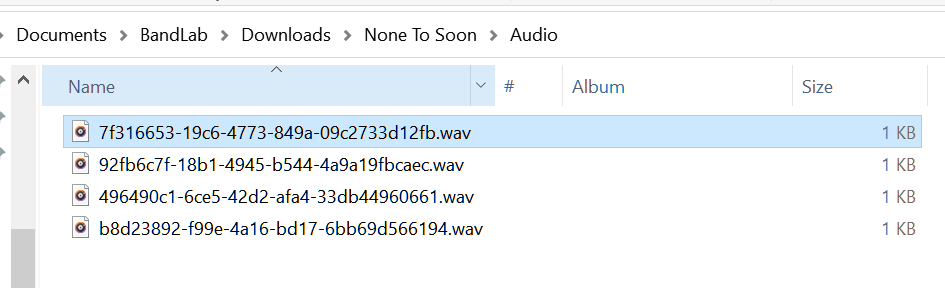
The file formats in the 'Audio' folder downloaded from Bandlab are .wav
Does anyone know how to fix this?
I have searched everywhere.
Thanks

image.png.623c2f458a8f1f1318782329ac8ef67a.png
image.thumb.png.09c58d95117ba10282f11c5bdeafc174.png

image.png.dffa8a3dda82b8ae5069ddcbae038ca4.png

6 answers to this question

Recommended Posts

  • 0
Posted

As a workaround - I was able to pull the track down from the BandLab website using the browser.

1) Open the Library online

2) Click on elipsis to open dialog box and select download stems.

3) Download the stems to the local BandLab directory Audio folder

NOTE: This downloads the track as an m4a file - does NOT convert to WAV.

4) Import the track into an existing project in Cakewalk through the Media Browser.


My project is young and only had 1 reference track.  This could be time consuming for multiple track projects if it does not use the BLX file to bulk import and align, so the above core problem still needs to be officially addressed.

  • 0
Posted

To me the wav files look too small so there appears to be a problem with how the audio files are being created.

They may even be text files containing error messages. I have seen BandLab Assistant create error messages instead of the files expected when trying to download CbB. The name was correct for the installer but the file was a 1KB XML error message.


  • 0
Posted

I have exactly the same problem, 5+ months after the original post.

Some extra observations:

  • The project is as downloaded by Bandlab Assistant (fresh install today = 2020-10-04, version 6.0.0).
  • The .wav files in the 'Audio' subfolder (one per track) are all only 1KB size. So of course any audio player gives error messages on that.
  • So the cause of the problem seems to be in Bandlab Assistant.
  • My OS is Win10 Pro 64-bit (10.0.18363).

Conclusions:

  1. The output from Bandlab Assistant is unusable It looks like Bandlab Asssistant needs a fix.
  2. The error description by Cakewalk could be much, much clearer.
    1. Currently it says: "DirectShow Error (0x80040265), Cannot play back the file. The format is not supported."
    2. It does not say that that it is trying to read an audio file.
    3. It does not say which input file.
    4. It says 'cannot play back', better would be 'cannot import'.

Please sign in to comment

You will be able to leave a comment after signing in


Sign In Now
×
×
  • Create New...