aidan o driscoll
-
Posts
1,654 -
Joined
-
Last visited
-
Days Won
1
-
New FREE version/tier of the venerable Cakewalk Sonar
aidan o driscoll replied to Larry Shelby's topic in Deals
YES @ilunga But if you install the Product Center and load, it gives you options to install Cakewalk Sonar etc .. as per image below: I have an old version of NEXT installed which i am about to uninstall, same goes for CbB ..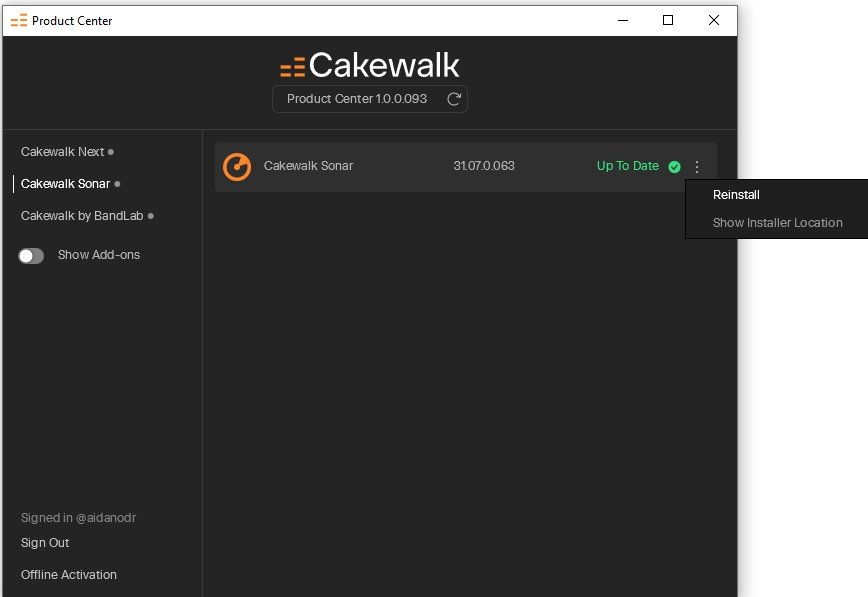
-
New FREE version/tier of the venerable Cakewalk Sonar
aidan o driscoll replied to Larry Shelby's topic in Deals
Mike at CREATIVE SAUCE has answered some Questions re the new FREE tier Sonar: Might be worth reading the comments under the video also. I am sure more observations there -
New FREE version/tier of the venerable Cakewalk Sonar
aidan o driscoll replied to Larry Shelby's topic in Deals
And @Brian Walton .. Sadly so many people use Macs AND PROTOOLS still. This goes for many studios also. Jeez I HATE protools. Our drummer is one of them, .. luckily our keyboard player who is also a sound engineer has protools, so he has to make a protools project out of the reaper project - essentially using stems -
New FREE version/tier of the venerable Cakewalk Sonar
aidan o driscoll replied to Larry Shelby's topic in Deals
Yes .. every so often we still have to do a login to bandlab/renew license type thing with CbB. One could argue this is not too far off whats being asked with the new Free Sonar, that is, wait 15 seconds and off you go. It has to be mentioned too i suppose, that the new Free Sonar will be regulary updated now while CbB will no longer be. To wait for 15 seconds, I dont see that as a big issue TBH, but then that me. I have quiet a few DAWs i collected over the years - Ableton, FL Studio, Reason, Waveform 13 Pro, Reaper, latest free Studio One, Luna - all installed but mainly use Cakewalk and Reaper. In a band with 4 others, three have Macs, two have PCs - Reaper is a good solution as a reasonable DAW for CROSS PLATFORM Work. I then use Azslow's ReaCWP installed in Reaper which allows you to open Cakewalk/Sonar project files directly in Reaper and from there Save as .rpp reaper project file. https://www.azslow.com/index.php?action=downloads;sa=view;down=57 Outside that, of all the other DAWS, I would use ableton the most. I never paid full price for a DAW. Over the years I would avail of black friday and other offers to climb on the ladder, then upgrade from there. Actually I did pay full price for Reaper - princely sum of $60 I am happy with the Cakewalk / Reaper usage along with Azslows tool to open CW projects in Reaper. Best of all worlds .. especially when working with Mac band members as Sonar is not available on MAC. As a band and as we are scattered all over - US and Ireland. We use the cloud exclusively with Reaper Project files. Shared Google Drive folder. All project folders uploaded there. We all open them from the cloud in Reaper, do our edits and additions and then SAVE DIRECTLY to the Google drive folder .. not using the local computers drives at all. The google drive folder is added to windows/mac file managers via google drive for desktop: https://support.google.com/drive/answer/10838124?hl=en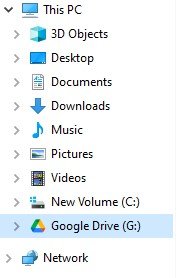
-
New FREE version/tier of the venerable Cakewalk Sonar
aidan o driscoll replied to Larry Shelby's topic in Deals
So - things you can do during the 15 second evaluation screen: Ill start - Go make that cup of Joe - Tune de guitar -
New FREE version/tier of the venerable Cakewalk Sonar
aidan o driscoll replied to Larry Shelby's topic in Deals
On the Reaper License thing. This blog post explains it pretty well: https://nolabelnoproducernolimits.com/indie/production/reaper/reaper-license/ Your Reaper license is a perpetual, one-time purchase. You don't ever have to pay for it again. But . . . Upgrades You can use whatever version you buy, until you die of old age or AI-driven robots enslave us all. In practicality, you'll want to upgrade. Your Reaper license covers two versions of Reaper. So if you buy @ version 7.34, you'll be good until version 9.0. This will likely last a few years. I've done the math and my Reaper expenses work out to just a little over $1/month for the past 14 years or so. What If I Don't Want To Upgrade? Don't, then. You'll miss out on new features, but Reaper is yours to use. MY COMMENT: I did go looking ( NOT VERY HARD ) for this detail at the Reaper site and tbh did not find it very obviously. Not even on the purchase page: https://www.reaper.fm/purchase.php -
New FREE version/tier of the venerable Cakewalk Sonar
aidan o driscoll replied to Larry Shelby's topic in Deals
Yes @CSistine .. your differences noted and added to my post above -
New FREE version/tier of the venerable Cakewalk Sonar
aidan o driscoll replied to Larry Shelby's topic in Deals
The 15 second countdown to be able to click on evaluation is similar to REAPER. However Reaper allows you use the DAW straight off but leaves the "Advertising Panel" up for an increasing amount of time well beyond 15 seconds. However you can drag it out of the way off screen. So at least ye know with Cakewalk the "Advertising Panel" disappears after 15 seconds every time. Fair trade I think for a FREE, very usable and most likely regularly updated DAW? @CSistine corrected what I said above: "There are certain differences, too: You can buy a perpetual license for Reaper (it is totally offline!) for only $60 if you are an individual that makes no or not a lot of money from your music! The evaluation version is not sold as "free", it is meant to be for evaluation. If you want a real free capable daw, then you may use Tracktion.Waveform. The second newest version is always free (can also be installed totally offline)." -
New FREE version/tier of the venerable Cakewalk Sonar
aidan o driscoll replied to Larry Shelby's topic in Deals
@Billy86 I simply created a few folders inside a folder called AUDIO DATA ( call the folders what you like ). Inside AUDIO DATA folder I created three more folders: - vstplugins32 - vstplugins64 - vsteffects Self explanitory I hope .. Of course we also have C:\Program Files\Common Files\VST3 where all the VST3s go. You could setup a C:\Program Files\Common Files\VStEffects if you want With all the folders setup copy/move the appropriate vsts ( vst2 = .dll, // .vst3 = you guessed ) to the appropriate folders. I DO NOT include a path to the vstplugins32 in Cakewalk / Edit / Prefs ( Advanced ) / vst .. only the other 3 or 4 paths. I have a 32 bit folder in case some vsts still insist installing one. I seperate out my EFX plugins from instuments because I also use audio editing programs like soundforge, audacity that only need the VST Effects and not the VSTi instruments. -
New FREE version/tier of the venerable Cakewalk Sonar
aidan o driscoll replied to Larry Shelby's topic in Deals
I also assume this new "free" Sonar will be getting regular updates vs Cakewalk by Bandlab .. not sure the latter is still getting updates, not many anyway? -
New FREE version/tier of the venerable Cakewalk Sonar
aidan o driscoll replied to Larry Shelby's topic in Deals
@kitekrazy1when you install it and open it and look up top left you see this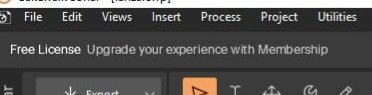
-
New FREE version/tier of the venerable Cakewalk Sonar
aidan o driscoll replied to Larry Shelby's topic in Deals
I tried the NEXT download and install hoping there might be a "FREE" version of that too .. Nope - its a 29 day trial https://www.cakewalk.com/next -
New FREE version/tier of the venerable Cakewalk Sonar
aidan o driscoll replied to Larry Shelby's topic in Deals
Looks pretty similar to REAPER offer wise / free evaluation, probably a bit better because the Free ( evaluation ) version is FOREVER it seems -
New FREE version/tier of the venerable Cakewalk Sonar
aidan o driscoll replied to Larry Shelby's topic in Deals
@MusicMan No failure for me on any plugins inc ARTURIA however I recently did a complete cleanup of my plugins ( like you I have a lot ) .. i just went to the VST folders and moved the ones i dont use anymore to another backup folder. I was being honest with myself .. Alot are freebies i installed, never used and had left them there Also seperated the 32 bit VSTS to another folder that I DO NOT scan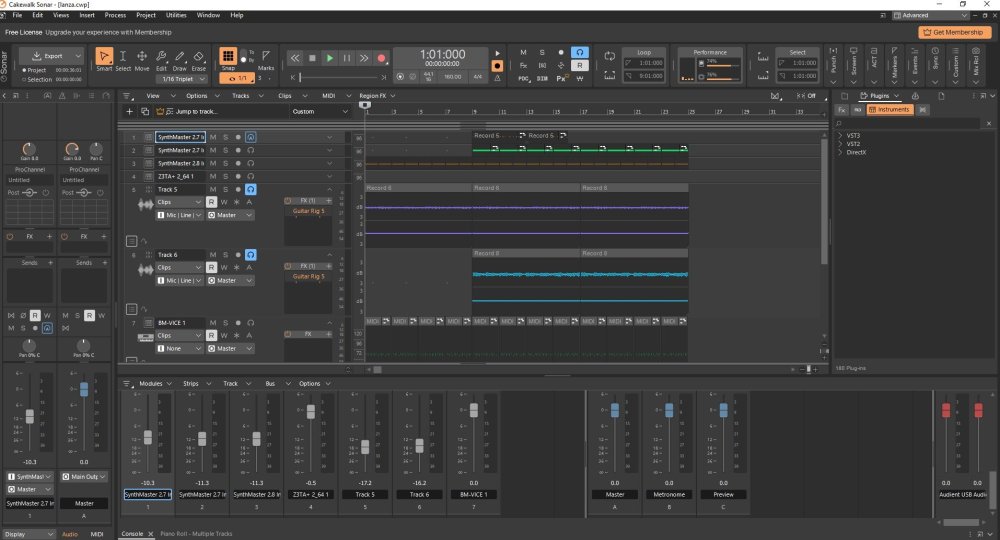
-
New FREE version/tier of the venerable Cakewalk Sonar
aidan o driscoll replied to Larry Shelby's topic in Deals
Just installed it and YES its FREE .. just need to login with usual bandlab details. Pretty much NEXT look and feel, i like it. Currently doing the VST Scan. So it looks like all we need is there FOR FREE .. so this is in a way a FREE SUBSCRIPTION, not a paid software subscription. I recommend installing it, check it out and if it does the job I WILL be dumping the Cakewalk by bandlab from my system because no doubt this new version will have updates going forward