Leander
-
Posts
80 -
Joined
-
Last visited
Everything posted by Leander
-

Digital distortion/clipping in one track although the file is ok?
Leander replied to Leander's topic in Cakewalk Sonar
Thanks, I know...but I never know if the current icon is on or off. -
Digital distortion/clipping in one track although the file is ok?
Leander replied to Leander's topic in Cakewalk Sonar
Thanks! Yes, I accidentally press keys or click the mouse...scrolling is dangerous, too as you scroll a knob while on it instead of a UI area. The problem is also that some plugins let you save a preset after entering the name, but Sonar reacts to your key presses and does things although you only want to the preset name and type on your keyboard. -
Hi! Noticed something strange. A guitar track has +3.9 volume and clips...but both volume and gain are set to 0....and when I move the file to a different channel, everything is ok...only that one channel has the problem with all files. I deleted it...so everything is ok again, but what might have been the reason? Is this a known bug? The channel itself did not push the signal...the mixer look ok, too.
-
Thanks!
-
Thanks! Ok, my default is 0...so nothing saved.
-
Hi! Are there auto saves? I hardly get any crashes, but Sonar just crashed and I hadn't saved for 90 minutes (I was only fooling around, nothing special, but still some work lost).
-
Thanks!
-
Thanks! What does echo do?
-
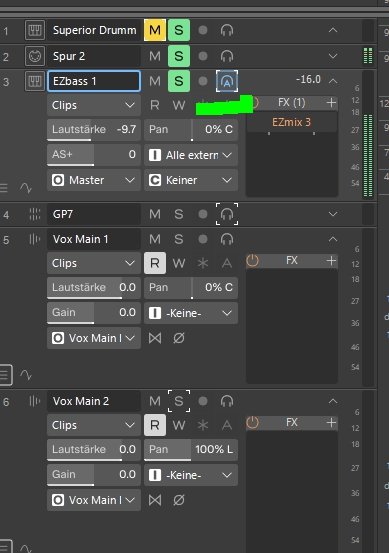
Hi! I accidentally hit a keyboard key and now my bass channel has the blue auto through. I can only switch between on and auto through, but not off like the other channels. How can I do that again?
-
Motu's 1 o' clock is my phone amp's 9:30 or so.
-
Thank you! I need the phone amp as my headphones are better with it...otherwise the Motu needs to be cranked up too much.
-
Hey! What does timing master playback mean and do (in the driver settings)? I have a Motu M4 with Out1+2 and Out3+4. 1+2 is connected to my speakers, 3+4 is connected to my phone amp. When I want to work with my headphones, I need to select Motu 3+4 in the DAW OR in Windows for e.g. music playback. However, Sonar works with both timing master playback settings regardless of speakers or headphones. Why? I can use 1+2 for speakers AND headphones...and also 3+4 for both. The only option I need to change is the master output of Sonar from 1+2 to 3+4.
-
Adding a new part to a project with audio and midi
Leander replied to Leander's topic in Cakewalk Sonar
That simple? Wow...thank you! -
Hi! I have a project with midi and tempo changes. Midis are sent to VST instruments... e.g. drums, bass, strings...then I recorded the vocals (audio) and imported guitars (audio). As I did not leave enough space before the song starts, BUT I want to add a short intro with some synth, effects, how do I move all midi and audio back e.g. 10 seconds without messing up what I already have? I tried this some years ago and audio played back faster...and simply selecting all data and moving it back does not work because of the tempo in the tempo "area" with the tempo changes. What's the best solution to add an intro before the actual song starts without messing up the tempo for midis and my recorded audio files?
-
Thanks for your replies!
-
Thanks!
-
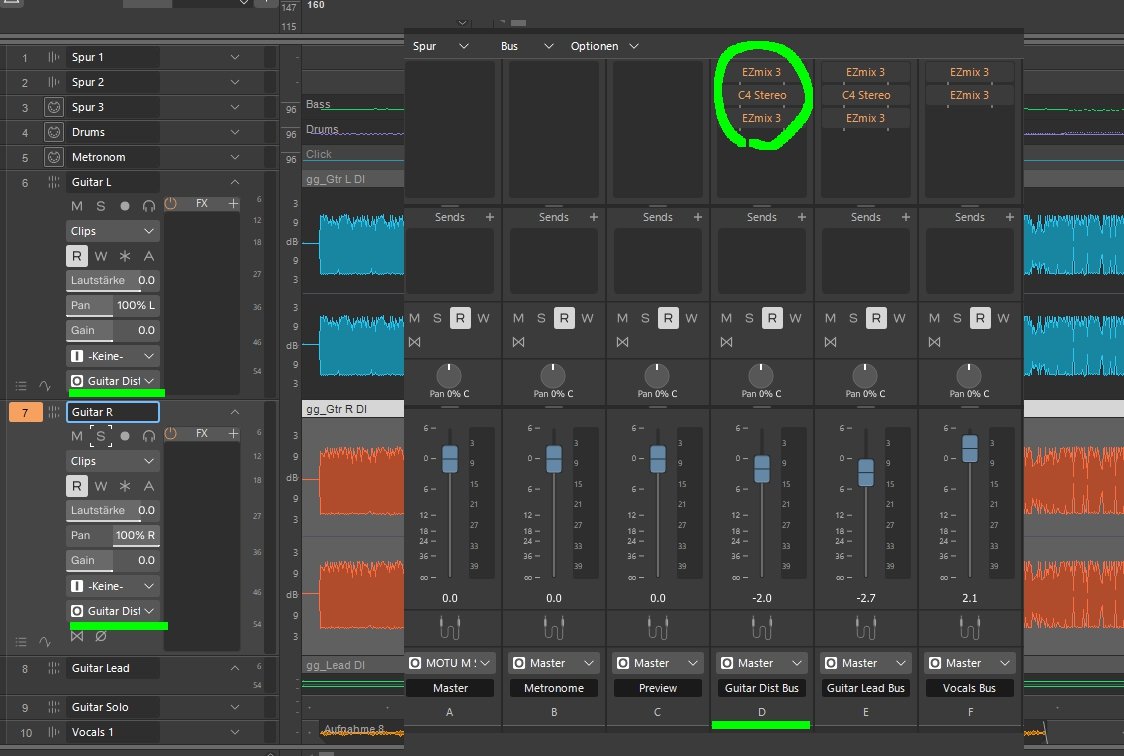
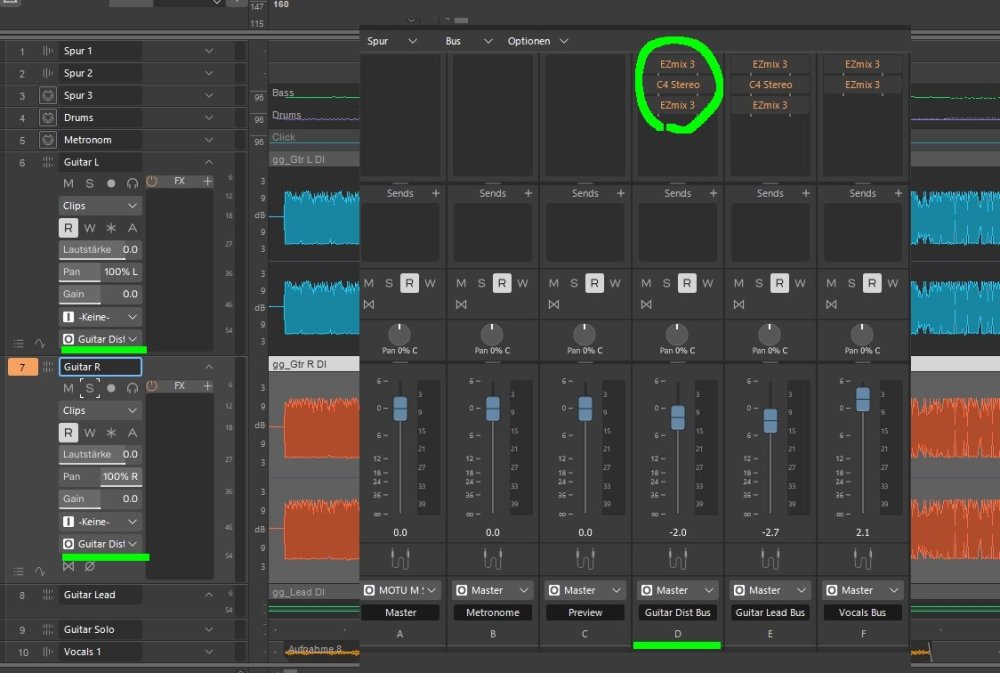
Thanks! It is not that I'm too lazy, but technical things are difficult to understand. Been struggling for many years. I use stupid workarounds such as manually copying a part of a guitar to a new track to adjust the volume there, but it is tedious...that's why I'm asking what the best solution is. Clip volume used to work well...but only if I have all FX in every track WITHOUT busses. e.g. Track 1: guitar L: EZ Mix 3 distortion, C4, EZ Mix 3 bus out: master Track 2: guitar R: EZ Mix 3, distortion, C4, EZ Mix 3 bus out: master This works with clip envelopes... BUT: Track 1: guitar L out: guitar bus Track 2: guitar R out: guitar bus -> envelopes do not work. The sound of a certain track isn't changed UNLESS I use e.g. -15db or more... What am I missing? Is it because the guitar bus ignores the individual track volume (and envelope changes)?
-
Found it now...smart grid etc. thanks
-
Thanks. I don't think I had it on. What other way is there to jump from bar to bar directly?
-
How can I turn it on again?
-
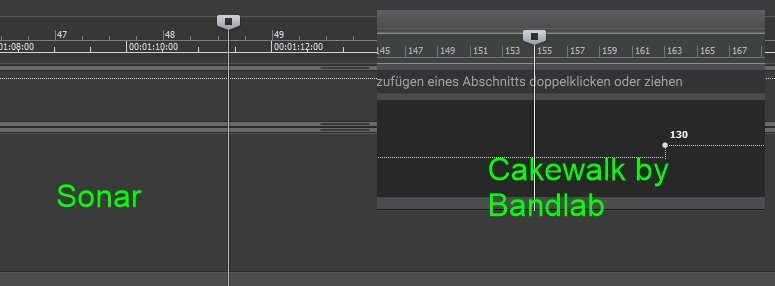
Hello! In Cakewalk by Bandlab, I can click on a bar or beat of the bar, e.g. bar 155 or bar 138:3 ... with the mouse...and it jumps to the correct time. In Sonar I messed something up...or at least I cannot click bar 48 as it does not jump to the exact time, but lets me freely select any millisecond...and this makes navigating to a certain bar difficult. How can I make Sonar jump to the exact bar or beat without milliseconds?
-
I have two guitar tracks. One is 100% left, one 100% right...both go to the guitar bus. How can I lower a part of one of them? What is the difference between automation: volume and clip automation: gain?
-
Hi! How can I make a part of a track louder? e.g. my guitars are left, right and a lead guitar. During the lead, the right guitar should be x db lower in volume. There are envelopes...but what is the difference between automation: volume and clip automation: gain? The problem is that both the left and right tracks go to a guitar bus. The bus has the EZ Mix 3 sound, the Andy Sneap fix and a guitar bus from EZ Mix 3. Without busses, it works, but with the bus, the volume is not reduced when applied to the track with an envelope. How can I make a track's part from time x to time y softer by some dbs, BUT the track has a bus out?
-
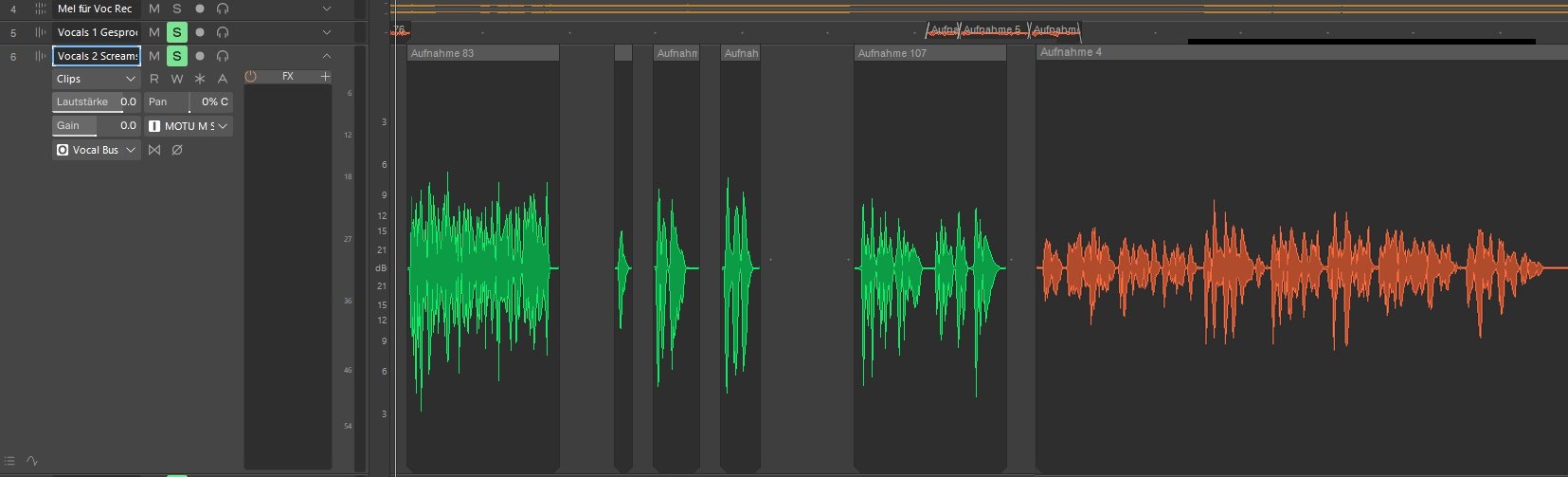
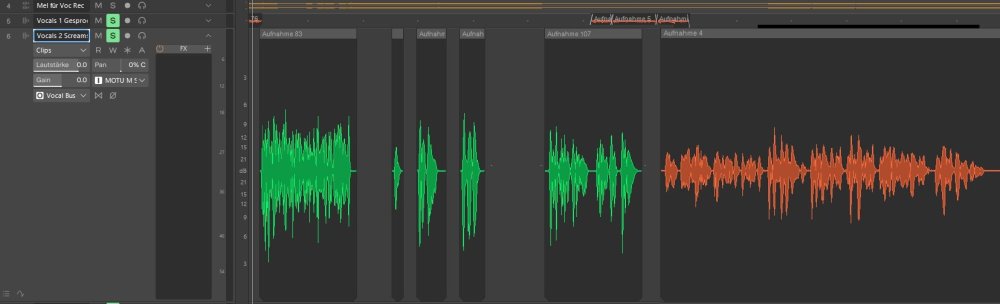
Thanks! I guess there is no simple solution to have a plugin adjust the vocals automatically. No, I have wasted many years trying to understand compressors etc. and learning the dozens of expensive equipment I have. I am someone who writes songs and lyrics and does not understand technical stuff. I've followed YouTube tutorials, some of them doing the opposite of each other with no result and always afraid to "destroy" something in the recorded files. It's been giving me 20 years of nightmares with "I want to achieve something vs. I don't understand it and get depressed". I'll stick to manual automation then. Takes hours per song, but better than no result at all. Examples of vocals:
-
Thanks. It is different sessions, but also a variety of articulations. I have a metal project that uses growls, screams, theatrical passages, whispering...and when recording everything alone at home, it is impossible to have even volumes for all words and all articulations.