tdehan
-
Posts
424 -
Joined
-
Last visited
Everything posted by tdehan
-
 @tparker24. I appreciate the response however, that doesn't even come close to my question.
 -
the track is not frozen
-
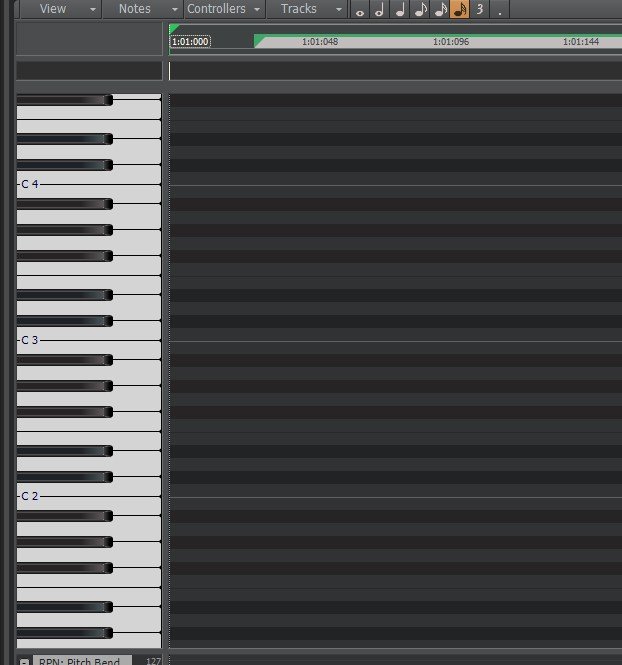
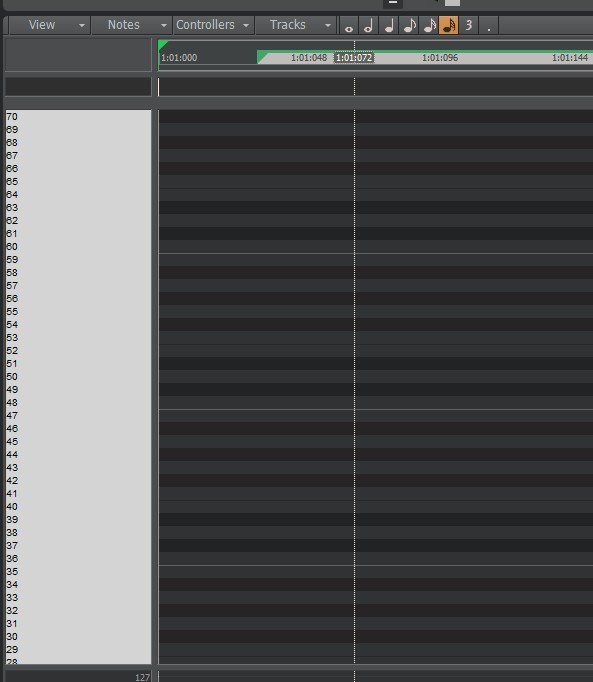
Why in Piano Roll View sometimes it shows number and other times shows a keyboard. Is there a way to make it show the keyboard when it is showing numbers?
-
MIDI song is suddenly not stopping at end of tracks [SOLVED]
tdehan replied to tdehan's topic in Cakewalk by BandLab
Thanks Bristol_Jonesey, that worked! -
MIDI song is suddenly not stopping at end of tracks [SOLVED]
tdehan replied to tdehan's topic in Cakewalk by BandLab
Yup, already did that. There are none. -
I don't know what I did however, a MIDI song I've been working on all of a sudden does not stop at the end of the tracks. It just keeps playing. I've looked to see if there is something further down any of the tracks that was introduced and don't see anything. I've checked under Tracks / Options and Stop At Project End is indeed checked. But it keeps play for another 10 measures before stopping. What am I missing? Thanks
-
Truedat! However, with that said, I don't follow or understand your suggestion.
-
That's over my head....
-
A friend sent me a MIDI file with multiple tracks that fades out at the end. He wants to remove the fade out and asked me how to do it. I viewed the TRACK EVENTS for each track and do not see a fade out on any track. I don't see where it is getting the information to fade out the song. Where can I find this? Thanks
-
As I mentioned.... this issue is solved. Thanks
-
I thought I did! I said it as ttS=1... that's MIDI right?
-
I believe I've already answered that a couple times. With that said... this issue is now solved... as I mentioned.
-
Bingo! That's it! I was not listening when I moved the individual sliders. I just saw that all the sliders were not moving together. Thanks!
-
Each drum is on a separate track as I mentioned. Yes, each TTS-1 drum is on MIDI channel 10. However, when I move the slider for any one of the drum tracks, only that track is affected by the volume change. I would have to adjust each individual slider for each drum part which is not what I wanted to do. The work around that I mentioned was to BOUNCE all the separate MIDI drum tracks to one track (.wav). Though not ideal, this is the only way I could find to achieve a global volume change for all the drums collectively. If I adjust the channel that Cakewalk TTS-1 is on, then other instruments besides the drums that are also using TTS-1 are affected.
-
The drums are all TTS-1. There is no option to OUTPUT to the new Stereo Bus or SEND. So, what I ended up doing was to BOUNCE all the separate drum tracks to one track and adjusted the overall volume that way.
-
I created a Stereo Bus but don't see how to Output each of the drum tracks to that bus. What am I missing
-
Thanks for all the responses. I now have a number of things to try. I will let you know how it goes. Again, thanks!
-
Yes, I thought about sending them all to a single buss but then I have the volume on each track plus the buss volume. Is there a way to only get the volume from just the buss?
-
I have a project I've been working on where the drums are all on separate tracks. I would like the ability to control the overall drum volume without having to adjust the slider on each separate drum track. How can I achieve this? Thanks!
-
Yes I do. However, per a post here on this forum from the developers, they state that they don't know if TTS-1 will continue to work in the future.
-
I read here that TTS-1 is no longer be included in Bandlab Cakewalk. When I open a MIDI file that I've purchased or have downloaded the default instruments are TTS-1. Is there something better to replace it that will open by default? Thanks
-
I agree it should not be happening. This only started happening in the past couple days.
-
My project consists of one .wav file. The .wav file plays just fine with no issue. I am trying to add a bass line. I created a new Audio track, plug my bass into my Focusrite, play the bass and all is fine. Suddenly when I try to add a Prochannel Preset that I've used numerous times before for the bass, Bandlab Cakewalk crashes throwing the error message I attached in my last post and shuts down. This happens all of a sudden with ANY ProChannel Preset I try to add but only to this one project When I open any of my other projects and perform the same steps Cakewalk does not crash. I've updated my Focusrite 4i4 with the latest driver and it makes no difference.
-
Looking for a .wav of whistle in Brickhouse by the Commodores.
tdehan replied to tdehan's topic in Instruments & Effects
Thanks! -
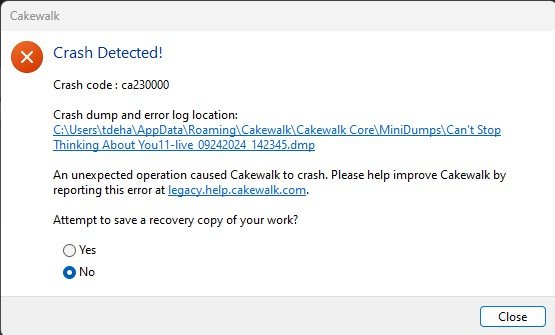
All of a sudden when attempting to play this particular project Cakewalk crashes and shuts down. I've tried reaching out to the link the error message says to reach out to (legacy.help.cakewalk.com) but that returns page cannot be found. Attached is the .dmp file. What is causing this? This has worked fine in the past. I am running the latest version of Bandlab Cakewalk. Can't Stop Thinking About You11-live_09242024_142345.dmp